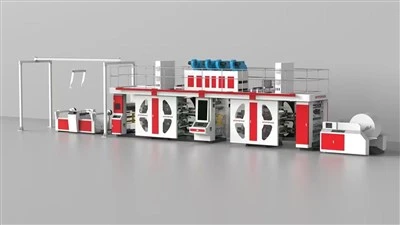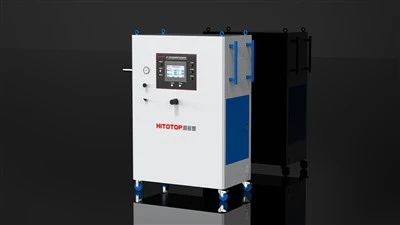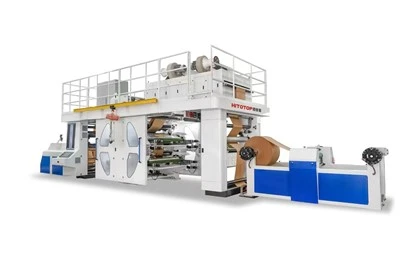


Cleaning a Stack Flexo Press is a crucial maintenance task that ensures the longevity and optimal performance of the machine. As a Stack Flexo Press supplier, I've seen firsthand how proper cleaning can make a huge difference in the quality of prints and the overall efficiency of the printing process. In this blog post, I'll share some tips and tricks on how to clean a Stack Flexo Press effectively.
Why Cleaning is Important
Before we dive into the cleaning process, let's talk about why it's so important to keep your Stack Flexo Press clean. First of all, a dirty press can lead to quality issues in your prints. Dirt, ink residue, and other contaminants can build up on the printing plates, rollers, and other components, causing streaks, smudges, and other defects in the printed material.
Secondly, regular cleaning helps to prevent wear and tear on the machine. When dirt and debris accumulate in the moving parts, it can cause friction and damage, leading to costly repairs and downtime. By keeping the press clean, you can extend its lifespan and avoid unnecessary maintenance costs.
Finally, a clean press is a safer press. Ink and solvents used in flexographic printing can be hazardous if not handled properly. By cleaning the press regularly, you can reduce the risk of spills and leaks, and ensure a safe working environment for your employees.


Cleaning Supplies You'll Need
Before you start cleaning your Stack Flexo Press, you'll need to gather the necessary supplies. Here's a list of items you'll need:
- Cleaning solvents: Choose a solvent that is specifically designed for cleaning flexographic printing equipment. Make sure to follow the manufacturer's instructions when using solvents, and wear appropriate safety gear, such as gloves and goggles.
- Cleaning brushes: You'll need a variety of brushes to clean different parts of the press. Soft-bristled brushes are ideal for cleaning delicate components, such as printing plates and anilox rollers, while stiff-bristled brushes can be used for cleaning more rugged parts, such as doctor blades and ink pans.
- Lint-free cloths: Use lint-free cloths to wipe down the press and remove any remaining solvent or debris. Avoid using paper towels or other materials that may leave behind lint or fibers.
- Vacuum cleaner: A vacuum cleaner can be used to remove dust and debris from hard-to-reach areas, such as the interior of the press and the air vents.
Step-by-Step Cleaning Process
Now that you have all the necessary supplies, it's time to start cleaning your Stack Flexo Press. Here's a step-by-step guide to help you through the process:
Step 1: Turn Off the Press and Disconnect the Power
Before you start cleaning the press, make sure it is turned off and disconnected from the power source. This will prevent any accidental startups and ensure your safety.
Step 2: Remove the Printing Plates and Anilox Rollers
Carefully remove the printing plates and anilox rollers from the press. These components are delicate and should be handled with care to avoid damage. Place them on a clean, flat surface for cleaning.
Step 3: Clean the Printing Plates
Using a soft-bristled brush and a cleaning solvent, gently scrub the printing plates to remove any ink residue or debris. Be careful not to scratch the plates, as this can affect the quality of the prints. Rinse the plates thoroughly with water and dry them with a lint-free cloth.
Step 4: Clean the Anilox Rollers
Anilox rollers are critical components of the flexographic printing process, as they transfer the ink from the ink pan to the printing plates. Over time, these rollers can become clogged with ink and debris, which can affect the quality of the prints. To clean the anilox rollers, use a specialized anilox roller cleaner and a soft-bristled brush. Follow the manufacturer's instructions carefully to ensure proper cleaning.
Step 5: Clean the Ink Pans and Doctor Blades
The ink pans and doctor blades are also important components of the flexographic printing process. These parts can become dirty and clogged with ink over time, which can affect the flow of ink and the quality of the prints. To clean the ink pans and doctor blades, use a stiff-bristled brush and a cleaning solvent. Scrub the parts thoroughly to remove any ink residue or debris, and rinse them with water. Dry the parts with a lint-free cloth.
Step 6: Clean the Press Interior
Using a vacuum cleaner, remove any dust and debris from the interior of the press. Pay special attention to the air vents and other hard-to-reach areas. Use a soft-bristled brush and a cleaning solvent to wipe down the interior of the press, including the rollers, gears, and other components.
Step 7: Reassemble the Press
Once all the components have been cleaned and dried, reassemble the press. Make sure to follow the manufacturer's instructions carefully to ensure proper installation.
Additional Tips for Cleaning a Stack Flexo Press
- Clean the press regularly: To keep your Stack Flexo Press in top condition, it's important to clean it regularly. The frequency of cleaning will depend on the usage of the press, but as a general rule, it's recommended to clean the press at least once a week.
- Use the right cleaning supplies: Make sure to use cleaning supplies that are specifically designed for cleaning flexographic printing equipment. Using the wrong cleaning supplies can damage the press and affect the quality of the prints.
- Follow the manufacturer's instructions: Always follow the manufacturer's instructions when cleaning your Stack Flexo Press. These instructions will provide you with detailed information on how to clean the press safely and effectively.
- Train your employees: Make sure your employees are properly trained on how to clean the Stack Flexo Press. This will ensure that the press is cleaned correctly and safely, and will help to prevent any damage to the machine.
Conclusion
Cleaning a Stack Flexo Press is an important maintenance task that can help to ensure the longevity and optimal performance of the machine. By following the tips and tricks outlined in this blog post, you can keep your press clean and running smoothly, and produce high-quality prints consistently.
If you're in the market for a new Stack Flexo Press, or if you have any questions about cleaning or maintaining your existing press, don't hesitate to get in touch with us. We're a leading supplier of 4 Color Flexo Printing Machine, Flexographic Printing Machine, Full Servo Flexo Printing Machine, Flexo Digital Printing Machine, and 6 Colour Flexo Printing Machine. Our team of experts will be happy to assist you with your purchasing decision and provide you with all the information you need.
References
- Flexographic Printing Technical Association (FPTA). (2023). Flexographic Printing Handbook.
- Manufacturer's manual for Stack Flexo Press.