

Yo, folks! I'm a supplier of Flexographic Machines, and today I wanna chat about one of the peskiest problems in flexographic printing: streaks. These streaks can really mess up the quality of your prints, so it's super important to know what causes them.
Ink - Related Causes
First off, let's talk about ink. If the ink's not right, you're gonna get streaks. One common issue is ink viscosity. If the ink is too thick, it won't flow smoothly through the printing system. This can lead to uneven ink transfer onto the substrate, causing streaks. On the flip side, if the ink is too thin, it might run or spread in an uncontrolled way, also resulting in streaks.
Another ink - related problem is ink contamination. Dirt, dust, or even bits of dried ink can get into the ink supply. When this contaminated ink is used in the printing process, it can clog the anilox roller or the printing plate, leading to streaks on the printed material.
Also, the ink drying process matters. If the ink dries too quickly on the anilox roller or the printing plate, it can form a hard layer that prevents proper ink transfer. This often shows up as streaks on the final print. On the other hand, if the ink dries too slowly, it can smudge or spread, creating streaks as well.
Anilox Roller Issues
The anilox roller is a key part of the flexographic printing process. It's responsible for metering the right amount of ink onto the printing plate. If the anilox roller is damaged, it can cause streaks. For example, if there are scratches or dents on the roller surface, the ink distribution will be uneven. The damaged areas might not hold as much ink as the undamaged parts, leading to light or dark streaks on the print.
Clogging of the anilox cells is another big problem. Over time, ink residues, debris, or dried ink can build up in the cells of the anilox roller. When this happens, the roller can't pick up and transfer the correct amount of ink, resulting in streaky prints. Regular cleaning and maintenance of the anilox roller are crucial to prevent this issue.
Printing Plate Problems
The printing plate also plays a major role in causing streaks. If the plate is not properly mounted on the plate cylinder, it can lead to uneven pressure during printing. This uneven pressure can cause some areas of the plate to transfer more ink than others, creating streaks.
Plate wear and tear is another factor. As the printing plate is used repeatedly, it can start to wear out. The image areas on the plate might become dull or damaged, which affects the ink transfer. This can lead to streaks on the printed material.
In addition, if the plate has any defects, like cracks or chips, it will cause problems. These defects can disrupt the ink flow and transfer, resulting in streaks on the final print.
Substrate - Related Factors
The substrate, or the material being printed on, can also be a cause of streaks. If the substrate has an uneven surface, it can affect the ink transfer. For example, if the paper has bumps or ridges, the ink might not adhere evenly, leading to streaks.
The surface energy of the substrate is also important. If the surface energy is too low, the ink might not wet the substrate properly, causing it to bead up and form streaks. On the other hand, if the surface energy is too high, the ink might spread too much, also resulting in streaks.
Moisture content in the substrate can be a problem too. If the substrate is too moist, the ink might not dry properly, leading to smudging and streaking. If it's too dry, the ink might not adhere well, causing streaks as well.
Machine - Related Causes
As a Flexographic Machine supplier, I know that the machine itself can be a culprit. Misaligned rollers can cause streaks. If the anilox roller, printing plate cylinder, or impression cylinder are not aligned correctly, the pressure and ink transfer will be uneven. This can lead to streaks on the print.
Worn - out gears or bearings in the machine can also affect the printing quality. If the gears are not meshing properly or the bearings are loose, it can cause vibrations in the machine. These vibrations can disrupt the ink transfer process and result in streaks.
The tension control system of the machine is crucial. If the tension on the substrate is not consistent, it can cause the substrate to move unevenly through the printing process. This can lead to streaks on the printed material.
Solutions and Our Machines
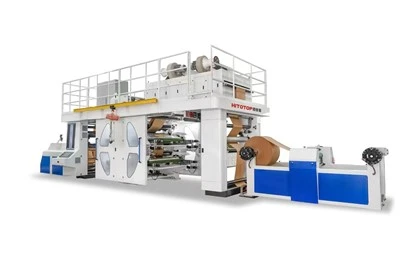
Now that we know what causes streaks, let's talk about how our machines can help. We offer a range of high - quality flexographic machines, like the Flexo Printing Machine 6 Colour. This machine is designed with advanced technology to ensure precise ink transfer and even pressure distribution, reducing the chances of streaks.
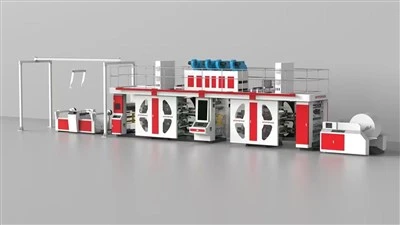
Our CI Flexo Printing Press is another great option. It has a central impression cylinder that provides consistent pressure across the entire width of the printing area, which helps to prevent streaks caused by uneven pressure.
The Gearless Flexo Printing Press eliminates the problems associated with traditional gears. It uses direct - drive technology, which reduces vibrations and ensures smooth operation, resulting in high - quality prints without streaks.
Our CI Flexographic Printing Press is built with precision engineering to ensure accurate ink metering and transfer. This helps to minimize the issues related to ink distribution and prevent streaks.


The Stack Flexo Press is also a reliable choice. It offers flexibility in printing and is designed to handle different types of substrates, reducing the chances of streaks caused by substrate - related issues.
If you're facing problems with streaks in your flexographic printing, don't hesitate to reach out. We're here to help you choose the right machine and provide the support you need to get high - quality prints. Whether you're a small - scale printer or a large - scale production facility, our machines can meet your needs. So, if you're interested in improving your printing quality and reducing streaks, let's start a conversation about your requirements.
References
- "Flexographic Printing Technology Handbook"
- "Ink and Printing Materials in Flexography"