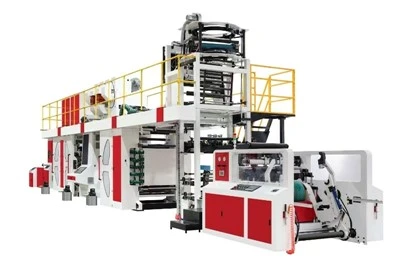


As a seasoned supplier of PP Woven Bag Printing Machines, I understand the importance of maintaining these machines in top - notch condition. One crucial part that often requires regular cleaning is the gears. In this blog, I'll walk you through the step - by - step process of cleaning the gears in a PP Woven Bag Printing Machine, highlighting the significance of this task and sharing some best practices.
Why Clean the Gears?
Gears are the backbone of a well - functioning PP Woven Bag Printing Machine. They are responsible for transmitting power and ensuring consistent movement between various components. Over time, gears can accumulate dirt, debris, ink residue, and excess lubricant. This buildup can lead to several issues such as increased friction, which not only reduces the efficiency of the machine but can also cause premature wear and tear of the gear teeth. Moreover, dirty gears can result in inaccurate printing due to inconsistent movement, affecting the overall quality of the printed bags. By regularly cleaning the gears, you can extend the lifespan of the machine, improve print quality, and avoid costly breakdowns.
Tools and Materials Needed
Before you start the cleaning process, gather the necessary tools and materials. You'll need:
- Safety equipment: Safety goggles and gloves to protect your eyes and hands from cleaning agents and debris.
- Cleaning brushes: Different sizes of soft - bristle brushes to reach all parts of the gears.
- Degreaser: A high - quality industrial degreaser that is safe for the gear material.
- Lint - free cloths: To wipe off the degreaser and debris.
- Lubricant: A suitable gear lubricant for re - lubricating the gears after cleaning.
Step 1: Machine Shutdown and Preparation
The first and most important step is to shut down the PP Woven Bag Printing Machine. Unplug it from the power source to prevent any accidental start - up during the cleaning process. This is a non - negotiable safety measure. Also, make sure to remove any ongoing print jobs or materials from the machine area to have unrestricted access to the gears.
Step 2: Accessing the Gears
Locate the gear housing in your PP Woven Bag Printing Machine. This may require removing some covers or panels. Refer to the machine's user manual for specific instructions on how to safely access the gears. Be careful while removing any components to avoid damaging them.
Step 3: Initial Inspection
Once the gears are exposed, conduct a thorough visual inspection. Look for signs of excessive wear, such as chipped or broken teeth, uneven wear patterns, or any visible damage. If you notice any significant issues, it may be necessary to consult a professional technician before proceeding with the cleaning. Also, take note of the amount of dirt and debris on the gears, as this will help you determine the intensity of the cleaning required.
Step 4: Removing Loose Debris
Use a soft - bristle brush to gently remove any loose dirt, dust, and debris from the gears. Start from the top and work your way down, making sure to reach all the nooks and crannies between the gear teeth. Be careful not to apply too much pressure, as this could damage the delicate gear surfaces.
Step 5: Applying the Degreaser
Spray the degreaser generously onto the gears. Make sure to cover all the surfaces, including the gear teeth, the sides, and the areas around the gear shafts. The degreaser will help break down the stubborn grease, ink residue, and other contaminants. Let the degreaser sit on the gears for a few minutes as per the manufacturer's instructions to allow it to penetrate and dissolve the dirt effectively.
Step 6: Scrubbing the Gears
After the degreaser has had time to work, use the cleaning brushes to scrub the gears. Start with a larger brush to cover the broader areas and then switch to a smaller brush for the hard - to - reach places between the teeth. Scrub in a circular motion to ensure thorough cleaning. Pay extra attention to areas with heavy buildup.
Step 7: Rinsing and Wiping
Once you've finished scrubbing, use a lint - free cloth to wipe off the degreaser and the loosened dirt. You can also use compressed air to blow out any remaining debris from hard - to - reach areas. Make sure to remove all traces of the degreaser, as any residue can attract more dirt in the future.
Step 8: Drying
Allow the gears to air - dry completely. This is an important step because any moisture left on the gears can cause rust and corrosion, which will damage the gears over time. You can use a clean, dry cloth to speed up the drying process if needed.


Step 9: Re - lubrication
After the gears are completely dry, it's time to re - lubricate them. Apply a suitable gear lubricant evenly to the gear surfaces. Follow the manufacturer's recommendations on the type and amount of lubricant to use. Over - lubrication can attract dirt, while under - lubrication can result in increased friction, so finding the right balance is key.
Step 10: Re - assembly
Once the gears are lubricated, carefully re - assemble the machine. Replace all the covers and panels you removed earlier. Make sure everything is properly tightened and secured.
Best Practices for Gear Cleaning
- Regular maintenance schedule: Establish a regular cleaning schedule for the gears. Depending on the frequency of machine use, a monthly or bi - monthly cleaning may be sufficient.
- Use quality products: Always use high - quality cleaning agents and lubricants to ensure the best results and protect the gears from damage.
- Training: Ensure that your machine operators are trained in the proper gear - cleaning procedure. This will help maintain the quality of the cleaning and prevent any accidental damage to the machine.
Related Machine Models
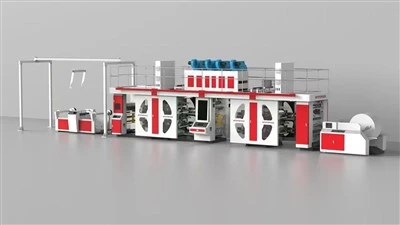
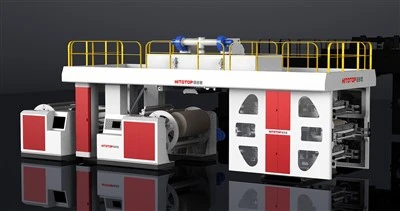
When it comes to PP Woven Bag Printing Machines, we offer a wide range of advanced models to meet different printing needs. You can explore our Central Impression Flexo, which provides high - quality and precise printing. Our CI Flexographic Printing Press is known for its efficiency and durability. If you are looking for state - of - the - art technology, our Flexographic Printing Machine and Digital Flexo Printing Machine are excellent choices. For those with specific color requirements, our 4 Color Flexo Printing Machine can deliver vibrant and accurate prints.
Conclusion and Call to Action
Cleaning the gears in a PP Woven Bag Printing Machine is a vital maintenance task that can significantly enhance the performance and longevity of the machine. By following the steps outlined above and adhering to the best practices, you can ensure that your machine is always in optimal working condition.
If you're in the market for a high - quality PP Woven Bag Printing Machine or need more information on maintenance and cleaning, don't hesitate to reach out. We're here to assist you with all your printing machine needs. Contact us today to start a discussion about your requirements and explore how our machines can take your business to the next level.
References
- Manufacturer's manuals of PP Woven Bag Printing Machines
- Industry best practices for industrial machine maintenance
- Technical literature on gear cleaning and lubrication